ACADEMICS [ PCM | PCB ] Class 11-12th | IIT-JEE | NEET | CUET 2026 | COMPETITIVE EXAMS

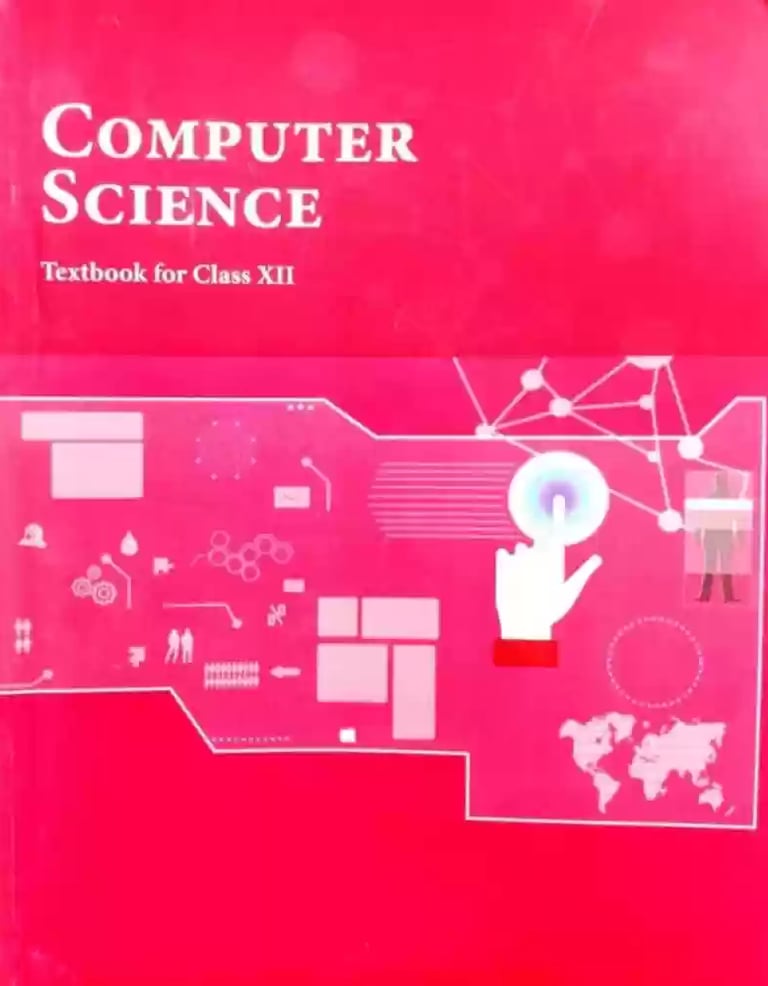
Computer Science Tuition Class 12th
1. Prerequisites
Computer Science- Class XI
2. Learning Outcomes
At the end of this course, student should be able to
a) apply the concept of function.
b) explain and use the concept of file handling.
c) use basic data structure: Stacks
d) explain basics of computer networks.
e) use Database concepts, SQL along with connectivity between Python and SQL.
Pattern of Studies
● Interactive Classes
● Home Assignments
● Class Notes
● Periodic Class Tests
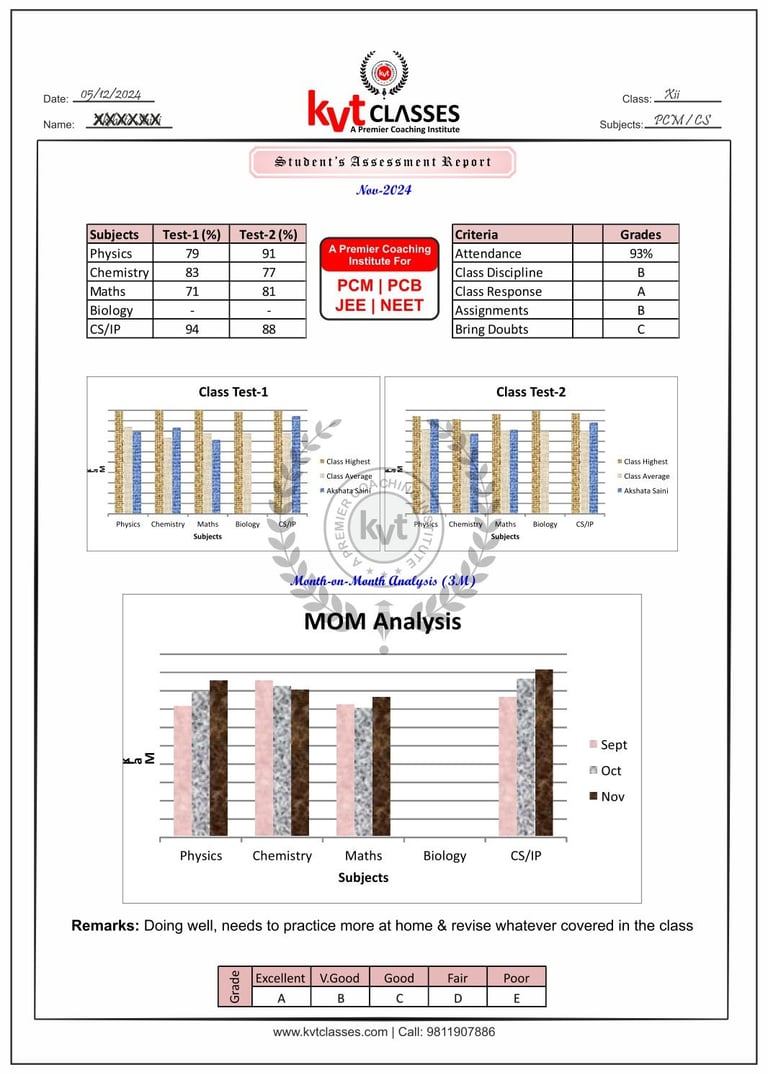
● Student's Monthly Report
● One to One Attention
● Doubt Classes
● Syllabus Revision
Report Analysis Parameters
● Tests Marks
● Attendance
● Class Discipline
● Class Response
● Home Assignments
● Student's Comparison with Class
● Last 3 Months Performance
● Special Remarks
Student's Sample Report
Class Tests
● Two tests per subject in a month
● Test schedule on Saturday in extra hours
● Result within 1 week of test conduct
● Test discussion on result day
● Mistakes rectification briefing
Class 12th is a critical level as the marks obtained in board exam would directly affect the future career prospects. Selecting a reputable coaching institute for Computer Science Tuition Class 12 help students in maintaining their focus and practical hand on making programs in python. At KVT Classes, students are given classes from well qualified and experienced faculties, which makes complex ideas easy to understand and develop problem-solving skills with ease.
Why choose KVT Classes for Computer Science Tuition Class 12
Experienced and qualified faculty
CBSE syllabus-based teaching
Regular coding practice sessions
Personalized doubt-solving support
Weekly tests and performance analysis
Easy-to-understand study material
Focus on conceptual and practical learning
Student-friendly classroom environment
Conduct of Classes
● On board explanation with notes
● Make Concept clear with practical examples
● Interactive class sessions
● Home work / Assignment at the end of the class
● Home work / Assignment check in the next class
● Quick recap of previous class in the next class
● Two tests per month/subject on Saturdays
● Class duration 1 Hr/sub alternate days (3Hrs./wk)
● Extra classes provided when needed
Classes Schedule 2025-26
Science Students Class XI-XII
Note: Class Tests will be conducted on Saturday in extra hours
Syllabus & Marks Weightage [ Class-XII ]
Detailed Syllabus [ Class-XII ]
Unit 1: Computational Thinking and Programming – 2
● Revision of Python topics covered in Class XI.
● Functions: types of function (built-in functions, functions defined in module, user defined functions), creating user defined function, arguments and parameters, default parameters, positional parameters, function returning value(s), flow of execution, scope of a variable (global scope, local scope)
● Exception Handling: Introduction, handling exceptions using try-except-finally blocks
● Introduction to files, types of files (Text file, Binary file, CSV file), relative and absolute paths
● Text file: opening a text file, text file open modes (r, r+, w, w+, a, a+), closing a text file, opening a file using with clause, writing/appending data to a text file using write() and writelines(), reading from a text file using read(), readline() and readlines(), seek and tell methods, manipulation of data in a text file
● Binary file: basic operations on a binary file: open using file open modes (rb, rb+, wb, wb+, ab, ab+), close a binary file, import pickle module, dump() and load() method, read, write/create, search, append and update operations in a binary file
● CSV file: import csv module, open / close csv file, write into a csv file using writer(),writerow(),writerows() and read from a csv file using reader()
● Data Structure: Stack, operations on stack (push & pop), implementation of stack using list.
Unit 2: Computer Networks
● Evolution of networking: introduction to computer networks, evolution of networking (ARPANET, NSFNET, INTERNET)
● Data communication terminologies: concept of communication, components of data communication (sender,receiver, message, communication media, protocols), measuring capacity of communication media (bandwidth, data transfer rate), IP address, switching techniques (Circuit switching, Packet switching)
● Transmission media: Wired communication media (Twisted pair cable, Co-axial cable, Fiber-optic cable), Wireless media (Radio waves, Micro waves, Infrared waves)
● Network devices (Modem, Ethernet card, RJ45, Repeater, Hub, Switch, Router, Gateway, WIFI card)
● Network topologies and Network types: types of networks (PAN, LAN, MAN, WAN), networking topologies (Bus, Star, Tree)
● Network protocol: HTTP, FTP, PPP, SMTP, TCP/IP, POP3, HTTPS, TELNET, VoIP
● Introduction to web services: WWW, Hyper Text Markup Language (HTML), Extensible Markup Language (XML), domain names, URL, website, web browser, web servers, web hosting
Unit 3: Database Management
● Database concepts: introduction to database concepts and its need
● Relational data model: relation, attribute, tuple, domain, degree, cardinality, keys (candidate key, primary key, alternate key, foreign key)
● Structured Query Language: introduction, Data Definition Language and Data Manipulation Language, data type (char(n), varchar(n), int, float, date), constraints (not null, unique, primary key), create database, use database, show databases, drop database, show tables, create table, describe table, alter table (add and remove an attribute, add and remove primary key), drop table, insert, delete, select, operators (mathematical, relational and logical), aliasing, distinct clause, where clause, in, between, order by, meaning of null, is null, is not null, like, update command, delete command, aggregate functions (max, min, avg, sum, count), group by, having clause, joins: cartesian product on two tables, equi-join and natural join
● Interface of python with an SQL database: connecting SQL with Python, performing insert, update, delete queries using cursor, display data by using connect(), cursor(), execute(), commit(), fetchone(), fetchall(), rowcount, creating database connectivity applications, use of %s format specifier or format() to perform queries